StackTools, a snippet library that grew a toolbox
451 snippets I kept needing, 51 tools that run in the browser, and the first website I ever put online.
- Role
- Designer, developer and maintainer
- Duration
- Live, in active development
- React
- TypeScript
- PowerShell
- Client-side only
- Cloudflare
- Product design
-
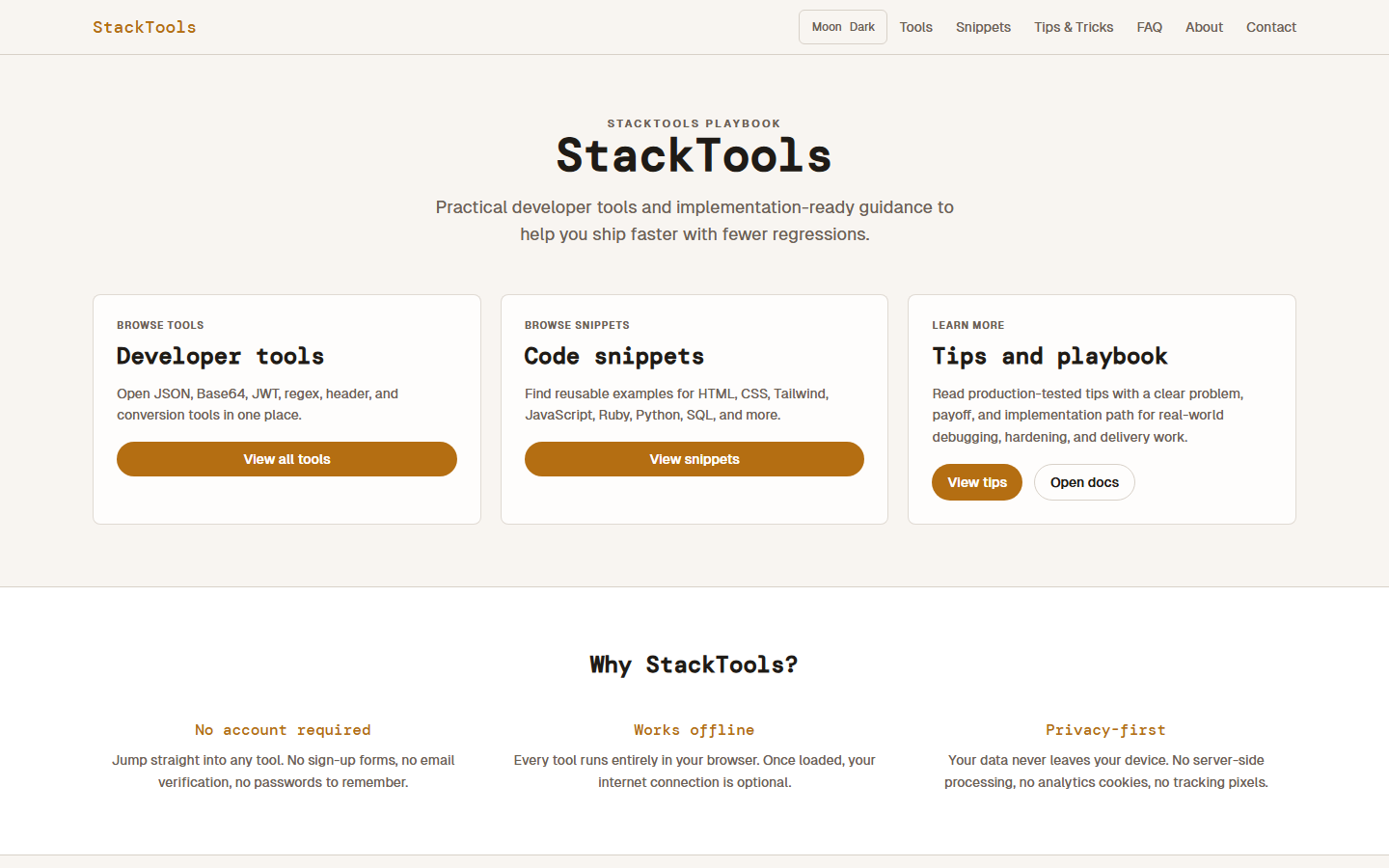
451snippets
across twelve languages
Including 24 PowerShell snippets for Active Directory administration — locked-out accounts, stale computer objects, expiring passwords, privileged group exports.
-
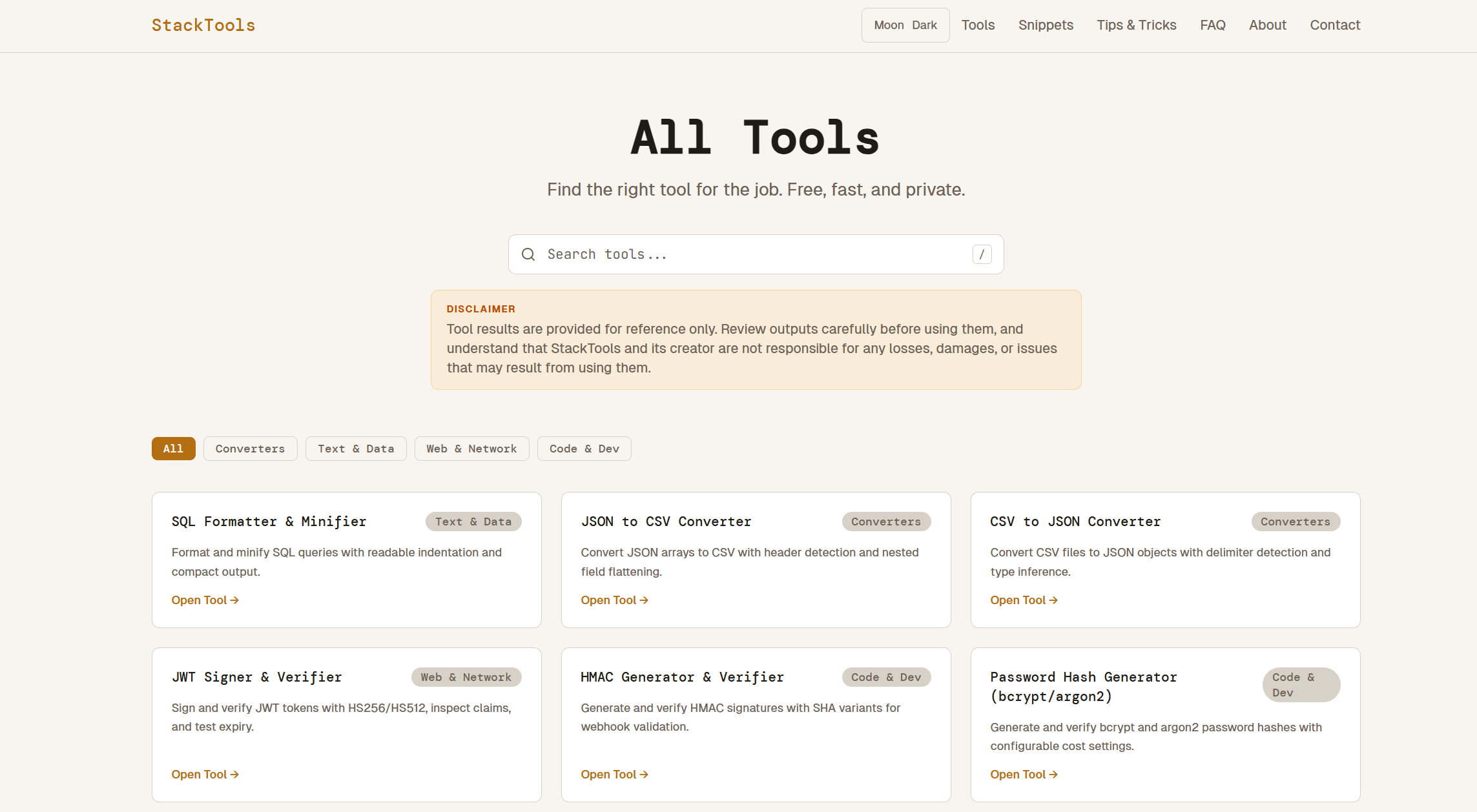
51tools
that never touch a server
JSON, JWT, regex, HMAC, CSP, PII redaction and 45 more, all running in the page.
-
1st
website I ever put online
The build was the familiar part. Everything between working locally and answering on its own domain was not.
It started because I kept losing the same snippets
The problem was small and constant: I would write something, use it, need it again months later, and not be able to find it. Not hard code — just code I had already worked out once and did not want to work out twice.
So StackTools began as somewhere to put the snippets I actually use. The ones I care most about are the Windows Server ones: all 24 PowerShell snippets on the site are Active Directory administration, because those are the ones that are genuinely hard to find. Searching for how to list stale computer accounts, find users whose passwords never expire, or export the members of a privileged group turns up forum threads and half-answers far more often than it turns up something you can paste and run.
There are now 451 snippets across twelve languages — HTML, CSS, Tailwind, JavaScript, Python, Ruby, Perl, C++, SQL, PostgreSQL, Bash and PowerShell — each with a description, a difficulty and a copy button.
Then it grew a toolbox
The tools came after, for the same reason the snippets did: they are the small jobs that interrupt real work. Decode a JWT, diff two JSON documents, work out why a CORS preflight is failing, format a SQL query, build a Content-Security-Policy header, read a cron expression.
There are fifty-one, sorted into Converters, Text & Data, Web & Network and Code & Dev, with search on the / key. Alongside them sits a playbook of just over a hundred written tips, each framed as a problem, a payoff and an implementation path rather than a description of a feature.
Everything runs in the browser
There is no account, no upload and no server-side processing. Once the page has loaded, the network connection is optional.
That is a product decision before it is a technical one. What you paste into a developer tool is often exactly what you should be most careful with — a production JWT, a stack trace carrying customer identifiers, a .env file. A tool that processes those on someone else's server asks you to trust that server. Keeping the work in the page removes the question rather than answering it, and it is the reason the PII redactor and the log redactor can be pointed at real data at all.
It also sets a hard ceiling. Anything that genuinely needs a server — calling a third-party API, handling a file too large to hold in memory — is ruled out by construction.
The hard part was putting it online
I had never deployed a website before this one. Building it was the familiar half: components, state, styling, the parts that behave the same on my machine as anywhere else.
Everything after that was new. A site that works locally and a site that answers on its own domain, over HTTPS, reliably, for someone who is not me, are two different things — and none of that is the part you practise while you are learning to build. It is the step that separates a project on a laptop from a project that exists, and it was the one I had no experience of at all.
It is live now, on its own domain behind Cloudflare, with a sitemap, a changelog and a privacy policy. Working that out once is the reason the next deployment was not frightening — including this portfolio.
Still shipping
Tools and snippets get added as I hit the problems that need them, which is the same reason the site exists in the first place.
Next
Another project
MolKet · Multi-month team project
MolKet
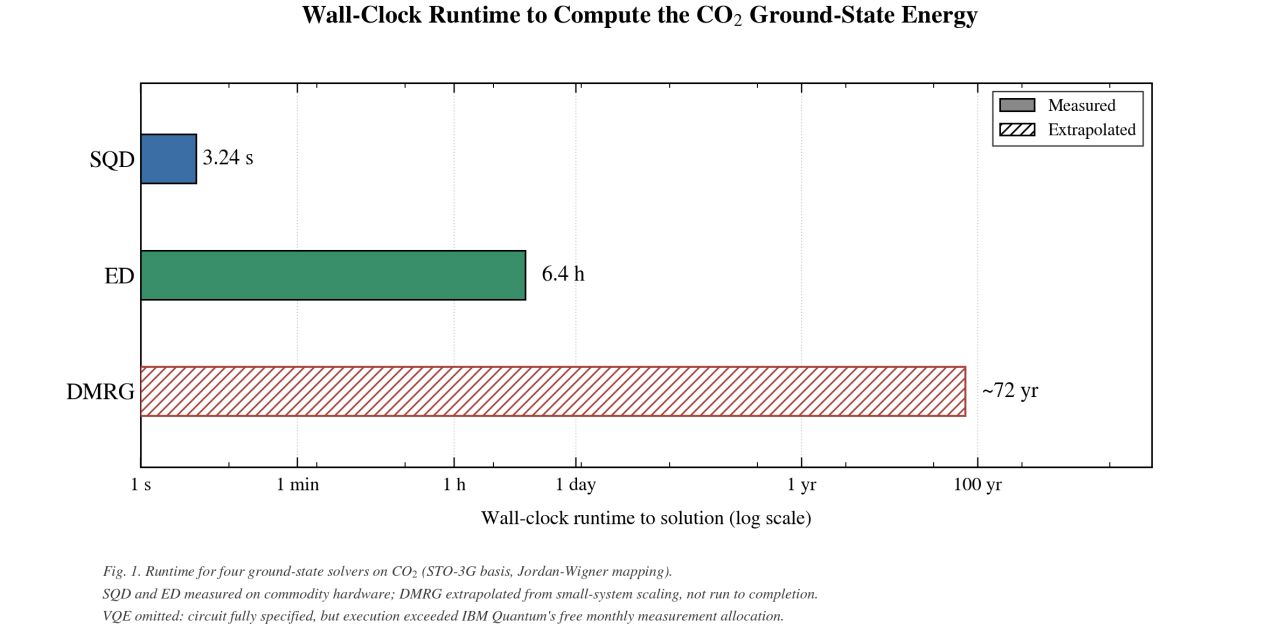
Four ground-state solvers, one CO₂ molecule, and a very wide spread of runtimes.
A multi-month benchmark comparing SQD, ED, VQE and DMRG on the ground-state energy of CO₂. SQD converged in 3.24 seconds; a full DMRG run would have taken an estimated 72 years.
Project lead · VQE and Exact Diagonalization author
- Quantum computing
- Qiskit
- Python
- IBM Quantum
- Project leadership
Society 5.0 · Sprint-based team project
Echoes
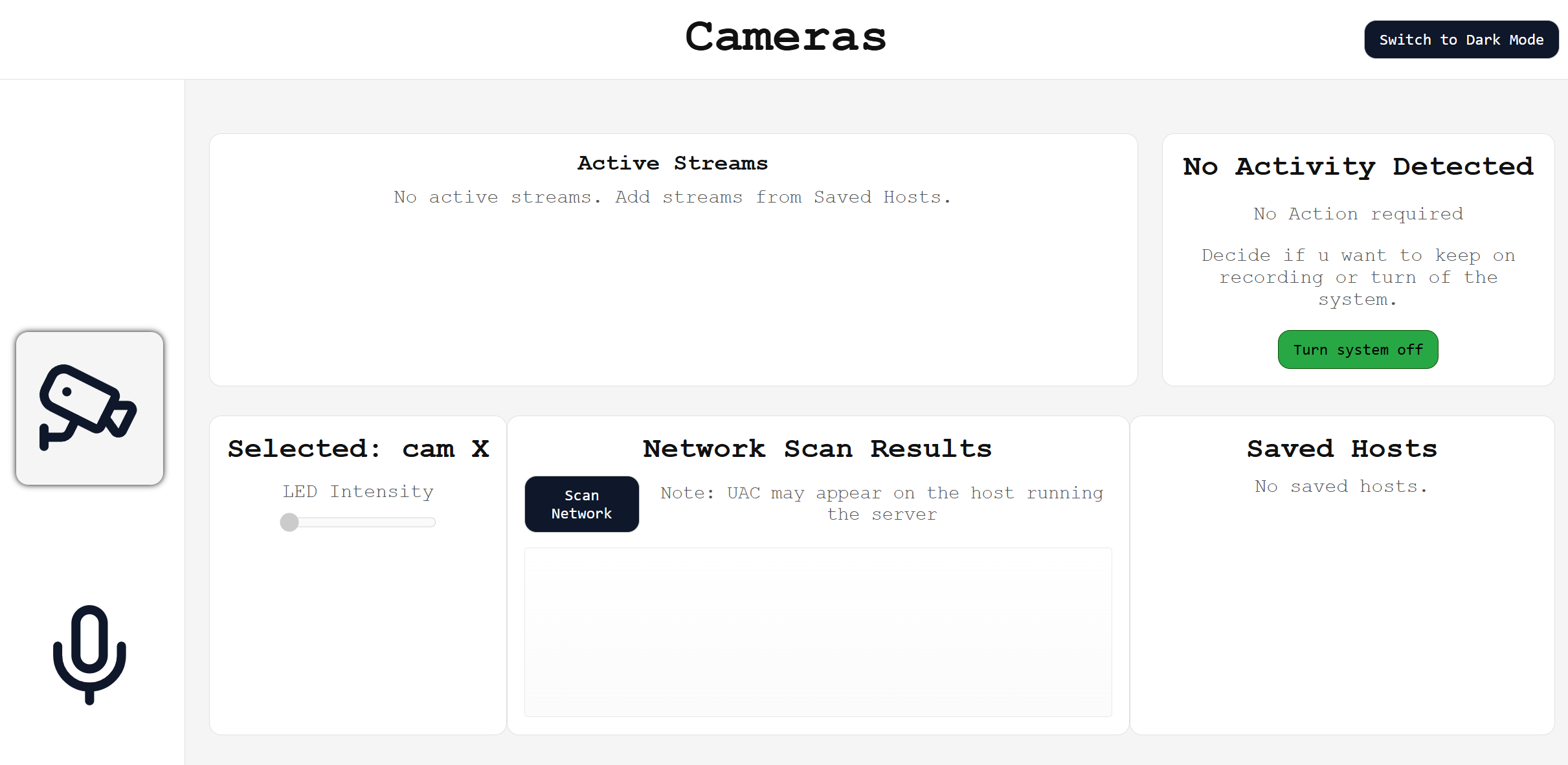
An ESP32 camera, a custom dashboard, and a deliberate argument about who surveillance is designed for.
A live video dashboard streaming from an ESP32-CAM over TCP, built twice on purpose: a Light version designed around consent, and a Dark version designed to be invisible.
Hardware and software developer
- ESP32-CAM
- JavaScript
- TCP streaming
- Embedded
- Design ethics